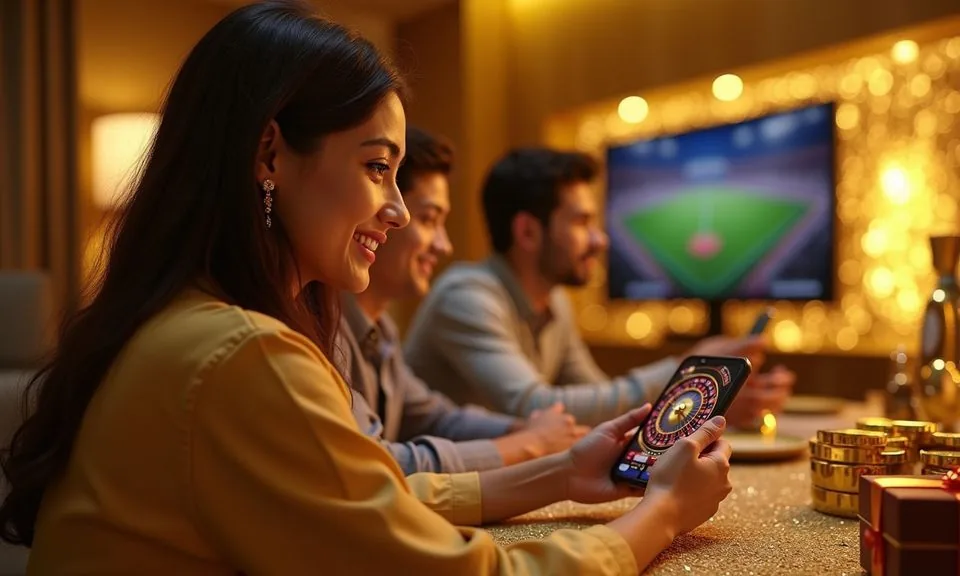
The khbd88 site loads across mobile browsers without requiring a separate install from any app store. Open the current domain in your phone browser, sign in to your account, and the full lobby — sports markets, live casino tables, slots — is read
When you open khbd88 on a mobile browser, the layout adjusts to your screen automatically. Navigation tabs for sports, live casino, slots and your account wallet sit near the top of the screen so you can move between sections without scrolling far.
MOBILE PAGE BEHAVIOUR
Mobile Access Features Worth Knowing
These are the mobile-web behaviours you can verify by opening the site in your phone browser. No native install is required for any of them. Check the on-site device page for the current state of any dedicated app build, as that can change and depends on your eligible region.
Responsive Layout
The page layout resizes for smaller screens. Tabs, lobby filters and account menus reorder into a single-column scroll so you can reach sports markets or the casino lobby without pinching or zooming on a standard Android or iOS browser.
Account Menu on Mobile
Your account wallet, transaction history and settings are reachable from the same mobile menu as the lobby. You do not need a separate session or login for mobile — the same credentials you use on desktop work here.
Game Lobby Filters
Category filters inside the lobby — slots, live casino, crash games, table games — work on mobile browsers. You can narrow to a specific studio or game type without loading a new page, which keeps browsing quick on a mobile data connection.
Help and Support Access
Published support routes and help pages are accessible from the mobile menu. You do not need to switch to a desktop browser to reach account help, wallet verification steps or contact options visible on the site.
THREE ACCESS STEPS
Mobile Access in 3 Steps
Getting into the khbd88 mobile site does not require an app store download. Follow these steps to reach the full lobby from your phone browser.
Open the current domain
Type khbd88 directly into your mobile browser address bar or use a saved bookmark. Confirm you are on the correct domain before entering any account details — the address should match exactly what is shown in our published communications.
Check browser compatibility
The site works on current versions of Chrome and Safari on Android and iOS. If pages load incompletely, try clearing your browser cache or switching to an updated browser version. The on-site device page lists any known browser-specific notes at the time of your visit.
Sign in to your account
Use your registered credentials on the login screen. Your account wallet, deposit history and lobby access all load within the same session. If you use bKash or Nagad for your wallet, those options appear inside the signed-in account area rather than on the public pages.
Browse and navigate the lobby
Once signed in, the sports tab and casino lobby are one tap apart. Use the category rail to move between football markets, cricket fixtures and slot rooms. Your session stays active as you switch tabs within the site.
DEVICE AND BROWSER CHECK
Compatibility — What to Verify Before You Start
Before relying on mobile access during a live sports market or a casino session, it is worth confirming your device and browser are on a supported configuration. The on-site device guidance page is the authoritative source — figures there reflect the current published state, not a static snapshot.
Browser version
Use an up-to-date version of Chrome on Android or Safari on iOS. Older browser builds may not render the lobby filters or account wallet correctly. Check your browser settings and update if needed before a long session.
Screen layout
The site is designed for screens of typical smartphone size and above. On very small displays, some lobby rail elements may require horizontal scrolling. Tablet browsers generally show more of the layout without the need to scroll horizontally.
Account requirements
Mobile access to the full lobby, including wallet and deposit history, requires an active registered account. Browse-only views of some lobby sections may be available without login, but account-linked features — including bKash and Nagad wallet steps — require you to be signed in.
Network connection
A stable mobile data or Wi-Fi connection is needed for live casino tables and live sports markets. Slow connections may cause live feeds to buffer; the site does not offer an offline mode. Standard 4G connections used by most Bangladesh mobile users are sufficient for normal browsing.
Currently supported devices
For the current list of confirmed supported devices and operating system versions, check the device compatibility section published on the site. That page is updated when platform changes affect supported configurations, and availability may depend on your local law and eligible region.
HELP FOR MOBILE USERS
Support Routes When You Are on Mobile
If you run into an access problem on mobile — a page that does not load, a login error or a wallet step that is not completing — the support routes published on the site are accessible from your mobile browser without switching devices.
In-site Help Pages
The help section in the mobile menu covers account login, wallet verification and common browser issues. Read the relevant article before raising a ticket — most mobile access questions are answered there with step-by-step instructions you can follow on the same device.
Live Support Channel
The live support option published on the site is reachable from a mobile browser. Open the contact or support section from the mobile menu to see the currently active channel. Do not share your full password with any support agent — account verification uses other published steps.
Wallet and Account Help
For bKash or Nagad wallet questions on mobile — such as a deposit that has not reflected or a wallet link that needs verification — use the account help section rather than general support. The wallet help page shows the specific steps and reference fields relevant to each local payment method.
ACCOUNT SAFETY ON MOBILE
Mobile Access Trust Checks
Mobile browsing introduces specific risks around domain spoofing and credential theft that a desktop session is slightly less exposed to.
Verify the domain
Before entering login credentials, confirm the address bar shows khbd88 exactly. Spoofed domains often differ by one character. Bookmark the correct address after your first verified session so future visits go to the right domain without retyping.
Review published device guidance
The on-site device page lists any known issues with specific browser builds or operating system versions. Check it when you update your phone's OS or browser, as a new version occasionally changes how the site renders or how the login flow behaves.
Protect your credentials
Use a password that is unique to your khbd88 account and not shared with email or social accounts. If your mobile browser offers to save the password, confirm it is stored in a password manager you control — not in a shared or public device profile.
Use the published recovery path
If you lose access to your account from a mobile device, use the account recovery steps shown on the login page — not a third-party tool or an unofficial contact. The published recovery path is the only method we can verify and support.
APP QUESTIONS ANSWERED
Common Questions About khbd88 App Access
These questions cover what Bangladesh account holders most often ask about mobile and app access on khbd88. If your question is not here, the help section in the mobile menu is the next place to check.
Does khbd88 have a native app I can download from the Play Store or App Store?
Whether a native app build is currently available depends on what is published in the app or download section of the site at the time you visit. We do not confirm store listings here as availability can change.
Can I access my full account wallet on mobile, including bKash and Nagad?
Yes, the account wallet is accessible from the mobile browser session once you are signed in. bKash and Nagad wallet steps appear inside the signed-in account area.
Which mobile browsers work with the khbd88 site?
Current versions of Chrome on Android and Safari on iOS work with the site. If you encounter display problems, update your browser to the latest version and clear the cache. The on-site device page notes any known issues with specific browser builds that may affect your session.
Is there an APK file I can install directly on Android?
If an APK is published, it will appear in the download section of the site with the verified file details.
Can I browse cricket and football markets from my phone without signing in?
Some parts of the sports lobby may be visible without a login, but placing a bet and accessing account-linked features require you to be signed in. Cricket markets — including BPL and international fixtures when available — are in the sports section of the lobby, reachable from the mobile navigation tab.
What do I do if the khbd88 mobile site is not loading correctly on my phone?
Start by refreshing the page and checking your internet connection. If the problem continues, clear your browser cache and try again. You can also try an alternative browser.
 Casino / Mobile